For a video quickstart check out this gfy: https://gfycat.com/meekweightyarmyant
- First install a user script extension (preferably Tampermonkey) for your browser (preferably chrome).
- See this article for more information.
- Next install the
markup scriptcomponent ofyt_clipperby clicking here. - Install the standalone
clipper scriptcomponent ofyt_clipperby visiting Clipper Script Installation.- Alternatively download the python source here and see this section for usage instructions.
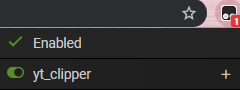
- Visit a YouTube video page. Check that the
markup scriptis active on the page. Refresh the page if it is not active. - Press Alt+Shift+A to activate the
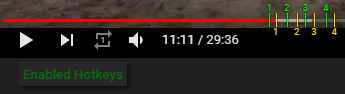
markup scriptand its hotkeys. You should see a flash message below the video.- Use the various hotkeys to add marker pairs and edit settings to specify how to clip the video.
- A to add markers, Z to undo markers, Shift+Mouseover a yellow end marker to open its settings editor.
- W to open global settings editor, Shift+W to toggle additional settings.
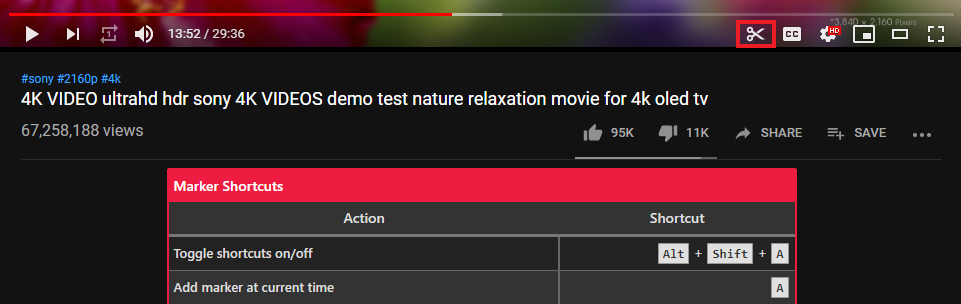
- Click the shortcuts reference toggle in the video player bar for an overview of all shortcuts.
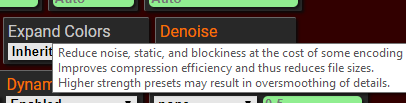
- Hover over an option in a settings editor to see a tooltip describing the option.
- Use the various hotkeys to add marker pairs and edit settings to specify how to clip the video.
- Use the S key to save markers data in
.jsonformat. - Generate webms using the saved markers data and the
clipper script.- Windows: Drag and drop the saved markers data onto the
yt_clipper_auto.bat. - Mac: Launch the
yt_clipper_auto.shprogram, drag and drop the saved markers data onto the terminal, and hit Enter. - Find generated webms in
yt_clipper/webms/title-suffixfolder wheretitle-suffixis the file name stem of the markers data file. - See this section for details on the other helper scripts available.
- Windows: Drag and drop the saved markers data onto the
- See the full instructions for more detail and advanced usage as well as changelogs.
- Check the changelogs for updates as there is not yet an automated mechanism.
- Join the
yt_clipperdiscord server if you want further help or want to contribute.