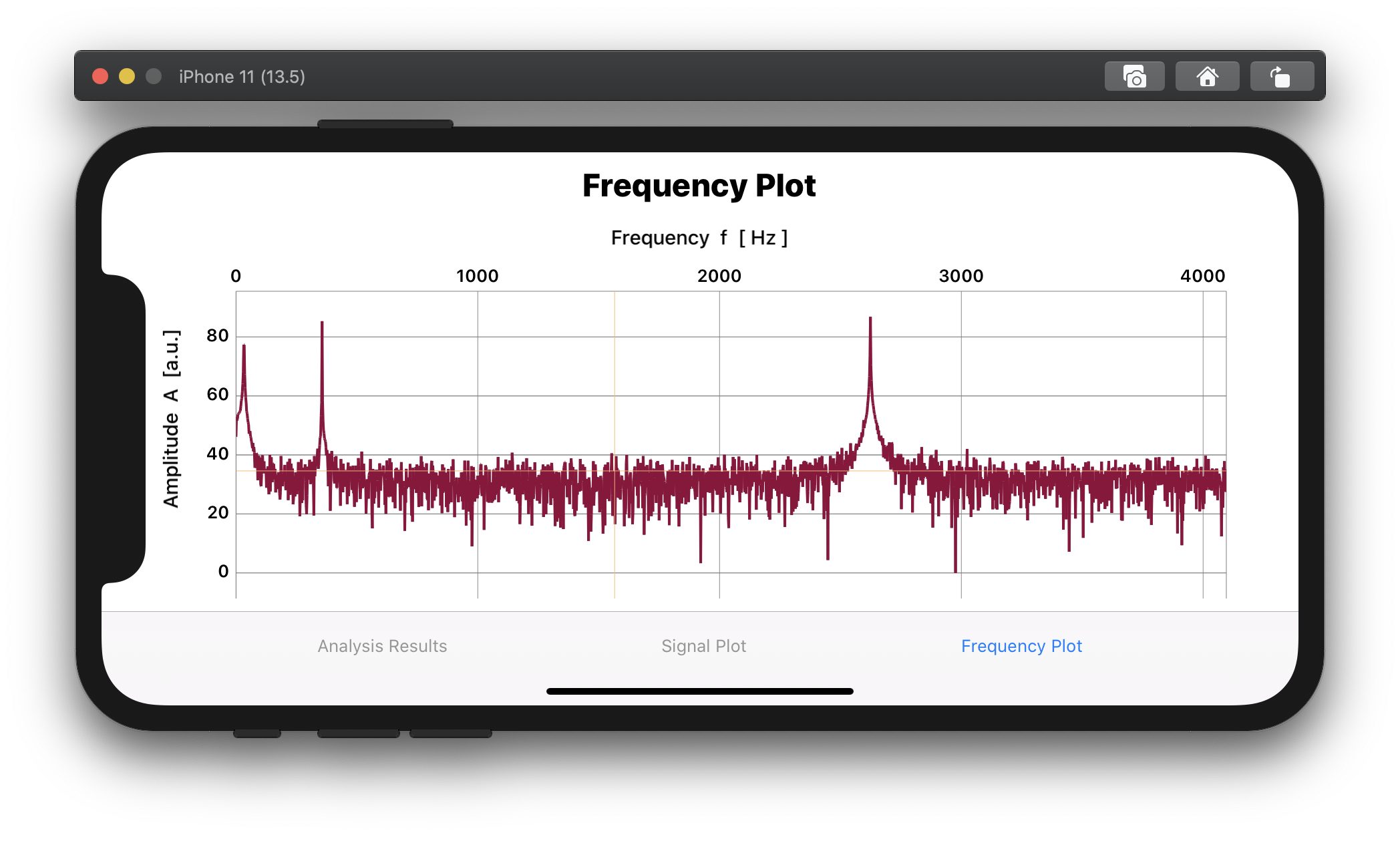
Add Axis titles by SwiftUI "overlay" as a workaround. #4405

Description

- I've read, understood, and done my best to follow the *CONTRIBUTING guidelines.
What did you do?
Try to add axis titles in SwiftUI. I could not find any builtin method or way with Charts to add axis labels. BTW, scientific charts MUST have axis titles or they will be rejected by any reviewer.
What did you expect to happen?
A simple xAxis method to add a text as an axis title that describes what the axis values represent and their unit.
What happened instead?
Nothing ;-)
Therefore, I used the SwiftUI overlay function for Views to add my axes titles:
... see workaround below in section "Demo Project".
Charts Environment
Charts version/Branch/Commit Number: 3.5.0
Xcode version: 11.5
Swift version: 5
Platform(s) running Charts: iOS
macOS version running Xcode: 10.15.5
Demo Project
The "LinePlot()" structure returns a SwiftUI View with a single line graph, with variables for the x and y data as well as for the line color. The content of this view is actually irrelevant. Thanks to Evgeny Basisty for his tutorial on how to use Charts with SwiftUI.
Now, by using .padding, .offset, and alignment, one can adjust the exact position of the axes titles.
My Code to "solve" this issue:
LinePlot(entries: populateXYCharData( xvec: myXData, yvec: myYData ) , mylinecolor: [UIColor(#colorLiteral(red: 0.5725490451, green: 0, blue: 0.2313725501, alpha: 1))] )
.padding(.top, 30 )
.padding(.leading, 30)
.overlay(Text("Amplitude A [a.u.]")
.font(.system(size: 15))
.fontWeight(.medium)
.rotationEffect(.degrees(270))
.offset(x: -60.0, y: 0.0),
alignment: .leading)
.overlay(Text("Frequency f [ Hz ]")
.font(.system(size: 15))
.fontWeight(.medium)
.offset(x: 0, y: 0),
alignment: .top)
Example of a frequency plot from an FFT analysis: