Repository navigation
fix(prompts): auto picks the steam deck face for a steam controller - #2448
Conversation


auto matched "steam deck" only, so a steam controller (sdl3 names it "Steam Controller") fell through to the xbox face. its buttons are named as the deck's, so it gets the deck's face now. under steam, steam input's stand-in pad for a steam controller has the same name, so it gets the deck's face too. a pad named "Steam Virtual Gamepad" stays on the xbox face.

Assisted-by: Claude
Assisted-by: Claude

 Joey-Magnus
left a comment
Joey-Magnus
left a comment
There was a problem hiding this comment.
Looks good. face_of_name (host/prompts.c:83) now matches "steam controller" next to "steam deck". contains ignores case, so SDL's "Steam Controller" gets the Deck's face. "Steam Virtual Gamepad" still falls through to the Xbox face, which is right because any pad can be behind it. Both callers, choose_face at the start and live_face for the menu's live row, go through face_of_name, so both get the fix.
The new tests/test_prompt_auto_face.py cuts contains and face_of_name out of the source and compiles them, as the other prompt checks do. It covers the new name, the Deck's names, the virtual pad and the other vendors. I ran it locally at the PR's head and it passes. So far only the title check has run on this PR. The source checks still need a maintainer to approve the workflow run, but nothing here should change their result.


…keyboard face

tests/test_prompt_auto_face.py looks for auto_face(name) in choose_face and live_face and face_of_name(name) in auto_face, and
checks auto_face: with no controller the keyboard's face when the build made it and XInput has no controller either, else the
Switch's; a controller's name its face.

Assisted-by: Claude Code
Co-Authored-By: Claude Opus 5.5 <noreply@anthropic.com>
…keyboard face

tests/test_prompt_auto_face.py looks for auto_face(name) in choose_face and live_face and face_of_name(name) in auto_face, and
checks auto_face: with no controller the keyboard's face when the build made it and XInput has no controller either, else the
Switch's; a controller's name its face.

Assisted-by: Claude Code
Co-Authored-By: Claude Opus 5.5 <noreply@anthropic.com>
…texts, hints and menus (#2435) Players on the keyboard and mouse see a controller's buttons in every prompt (the Switch's when no controller is connected), so they have to work out which key each one means. This adds a **Keyboard** face to the Button prompts system: the game's texts, hints and menus show the key or mouse button each action is bound to. Part of #1007 (keyboard button prompts, from #2028). ## What it does - **Button prompts → Keyboard** (a seventh value). **Auto** picks it when no controller is connected, through SDL or XInput; with one connected, Auto picks that controller's face as before. - Each Switch button shows the first key bound to it on the Controls page, or the second when the first slot is clear. Mouse buttons show as a mouse with that button lit, and keys named by words (Ctrl, Alt, Esc, Home, PgUp, Num1...) as wider keys set in the game's own bold font. Kenney's versions of those are too small to read at prompt size. - The sticks' icons (Move, Change View and their direction variants) show **WASD** (or W/A/S/D, AD, WS) and the mouse moving. - It follows the live system from #2366: changing a key, or switching to or from Keyboard, shows at once, like a pad rebind. - Kept as the Switch's: the textures (ocarina notes, the letters on black, the pause menu's controller picture) and the Talk ring's places. The ocarina hint is spaced by the keys' icon widths. ## How - `nx2/prompt_keys.py` (new, data only, standard library): which icon each key and stick shows, and the code points. - `nx2/prompt_draw.py`: the keyboard face's glyphs. They are Kenney's Input Prompts **Keyboard & Mouse** font (CC0, the same 1.5 release as the controller faces), in its own folder `third_party/kenney_input_keyboard` with a `PROVENANCE.md` and the release's `License.txt`; the AppImage copies it. The word keys and the mice are drawn as non-crossing contours, so they fill the same under either winding rule. - `nx2/prompt_assets.py`: `faces_font` builds the keyboard face (the Switch's pad icons, plus each key's icon at `KEY_BASE + key code`, past every face's code points), and writes its `hint.bin` per key code. - `host/prompts.c`: - The bind arrays carry each button's first key after its pad input (`BINDS`), so key changes go through the same live path. - `cmap4_bind` points a button at its key's icon on the keyboard face. - `text_code` gives a text a code of its own for each (button, key) pair as it first appears (`key_slot`), and points it at the key's icon where the game keeps the font. - Code points: the per-pair codes come from 320 codes at U+EEC0–U+EFFF, and the sticks' codes are at U+F8C0–U+F8DF. I checked every font in the romfs: none uses either range. The CJK fonts use most of the private use area, including parts of U+F700–U+F7BF. - `host/nn_hid.c`: `hos_xinput_pads()`, so Auto doesn't pick Keyboard for an XInput-only controller. - `gpu/vk/vk_menu.cpp`: the Keyboard value and its hint; `pad_name` names pad inputs by place on the keyboard face. ## Testing **In game, a build of this branch (81a5445, the same code before the rebases onto #2448 and #1990)** on Windows 11 (native, RTX 4060), keyboard and mouse, no controller. Driven with the control bridge (`HOS_CONTROL`, headless, `--user` on a copy of the saves), into Hyrule Field from a save, then the pause menu: | Case | Result | |---|---| | Auto, no controller | ✅ `prompts: auto: controller "(none)": keyboard`, `keyboard icons, 16 buttons on these keys`. The pause menu shows Q/R on the tabs, the mouse for Rotate, E for Select, Shift for Back; the HUD's item buttons show R and X. | | Keyboard picked, a key rebound (A from E to F) | ✅ Select reads F. | | Xbox picked (a pad face, unchanged by this PR) | ✅ LB/RB, Select on B and Back on A (the pad layout in use); the ocarina hint spread for Xbox's icons. | | A change while the game runs (Keyboard ↔ Xbox) | ✅ with #2583: on native Windows #2366's live path never found the font (it read it 8 bytes past its start), with or without the keyboard face. @polackangry found it and fixed it in #2583, and with that on top of this branch, Keyboard → Xbox → Keyboard while the game runs applies at once (`now the xbox icons in texts` / `now the keyboard icons in texts`), the pause menu reopened showing each face's icons. Without #2583 the row says "(restart)" on native Windows, as for every face. | | A pad plugged in and out, a key rebound with a hint on screen |⚠️ Not tested: no controller here, and both go through the live path. | Also: - `tests/test_prompt_font_bind.py` is extended. On the keyboard face it checks: keys bound in the first or second slot, a key with no icon, the sticks, and text codes for each (button, key) pair. The other faces are unchanged. It passes, as do `prompts_live`, `appimage_prompt_fonts` and `menu_hooks`. - `tests/run_all.py`: the same results with and without the PR on this machine (its other failures are missing .NET and MSVC-target C++ headers). ## Screenshots From the build of this branch, 1280×720 (the bridge's shots: the game's own picture). Auto with no controller, the pause menu: Q/R tabs, the mouse for Rotate, E for Select, Shift for Back. 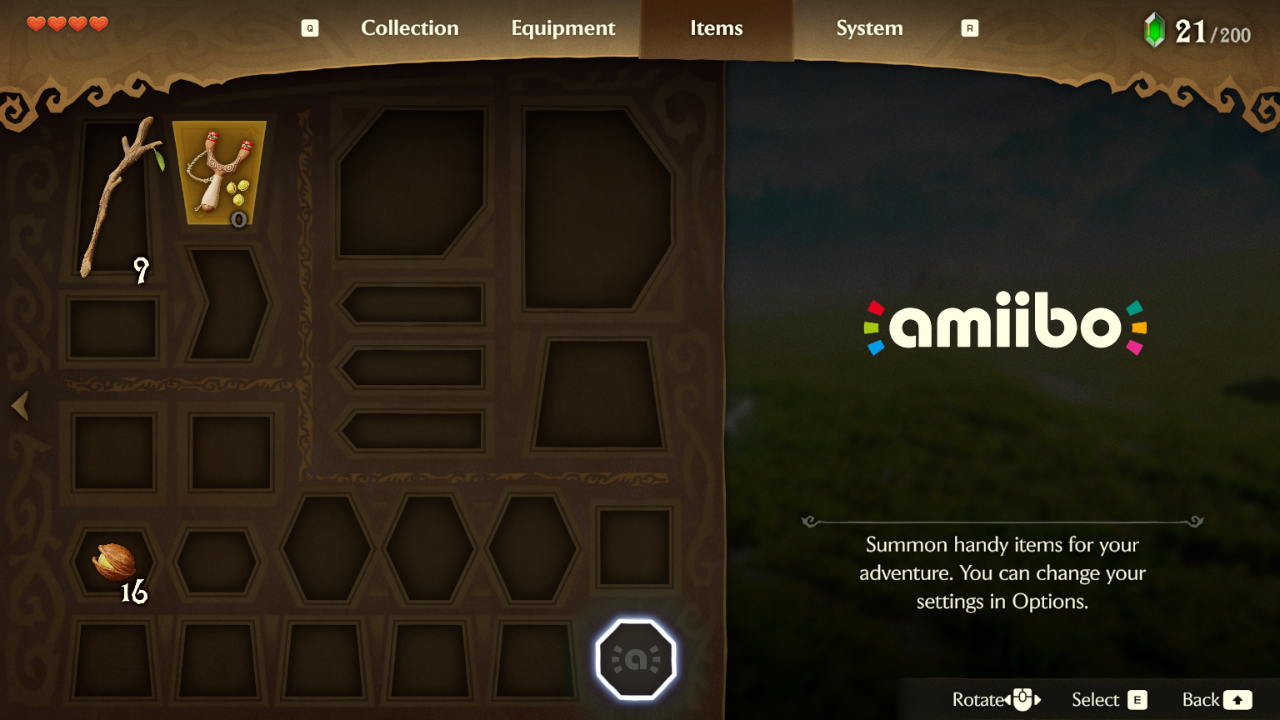 Keyboard with A rebound to F: Select reads F. 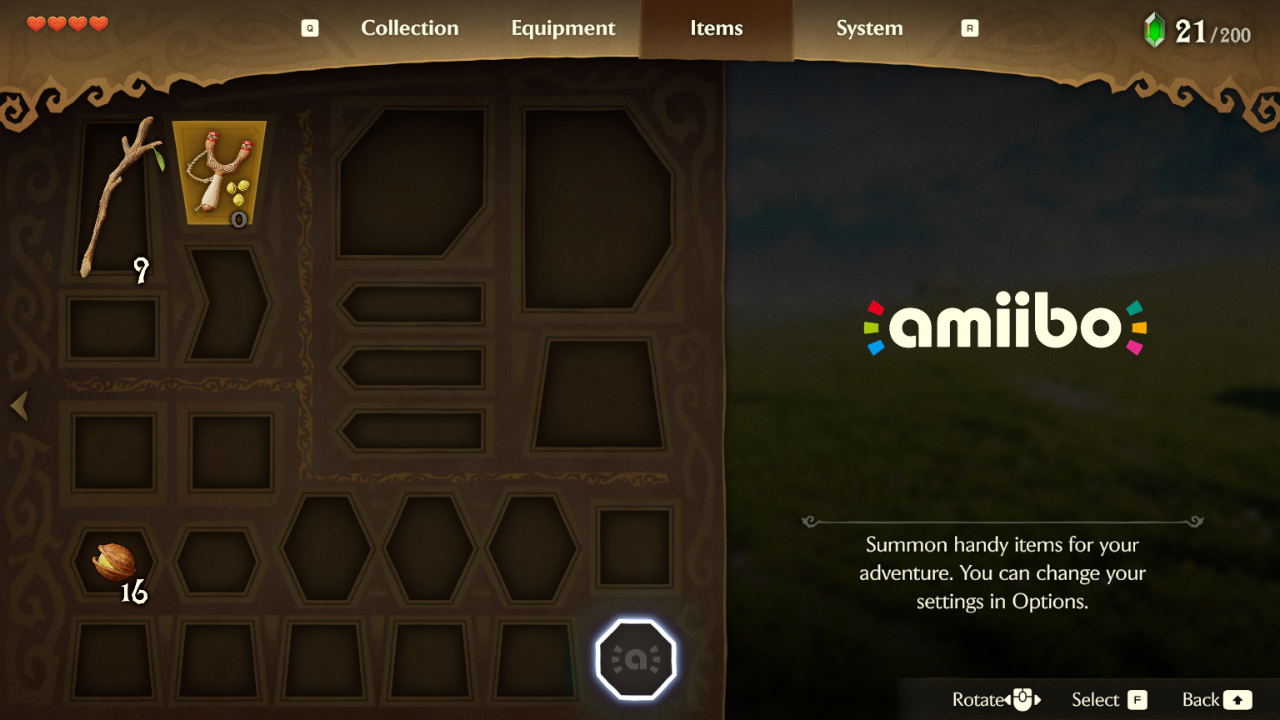 Xbox, for comparison (a pad face, as before this PR). 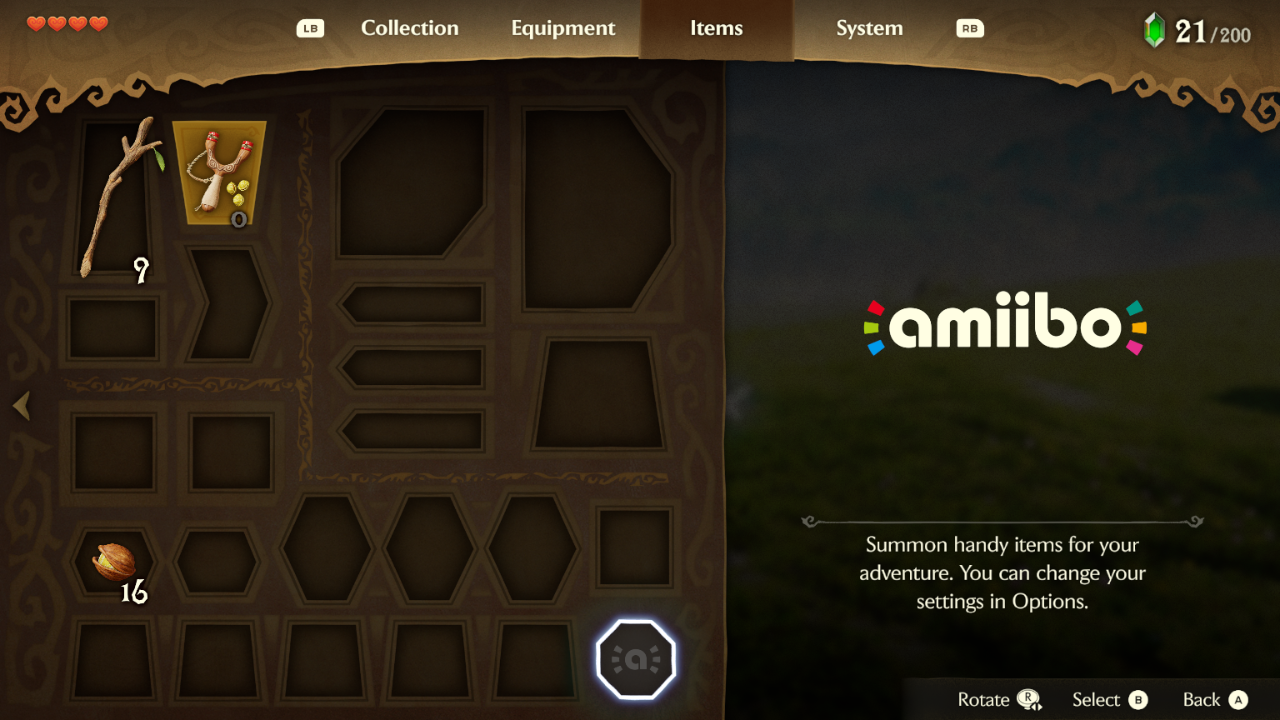 The field: the HUD's item buttons on R and X. 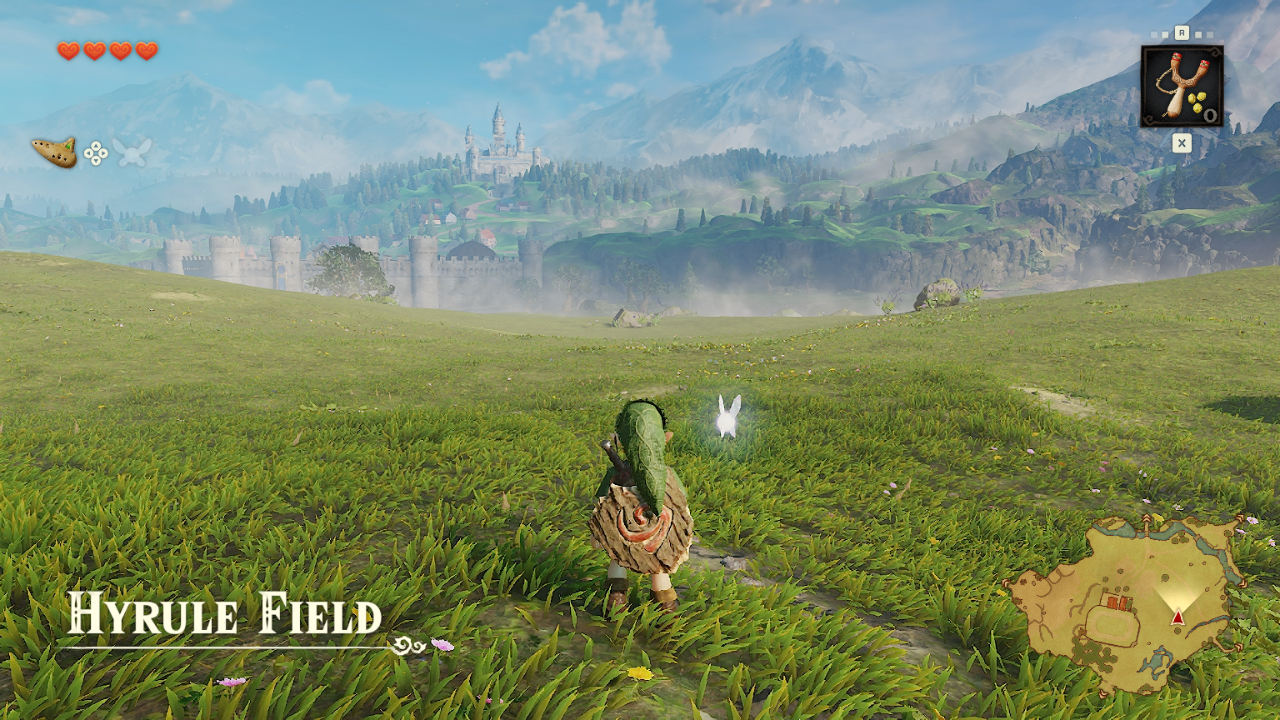 🤖 Generated with [Claude Code](https://claude.com/claude-code) --------- Co-authored-by: Needicla <226049938+Needicla@users.noreply.github.com> Co-authored-by: Claude Opus 5.5 <noreply@anthropic.com>






auto matched "steam deck" only, so a steam controller (sdl3 names it "Steam Controller") fell through to the xbox face. its buttons are named as the deck's, so it gets the deck's face now. under steam, steam input's stand-in pad for a steam controller has the same name, so it gets the deck's face too. a pad named "Steam Virtual Gamepad" stays on the xbox face.
Tested on a 2026 Steam Controller (wireless puck) on Linux (CachyOS, SDL 3.4): the game's log shows
prompts: auto: controller "Steam Controller": steamdeck, run from Steam.python -I -B tests/test_prompt_auto_face.pypasses.