




















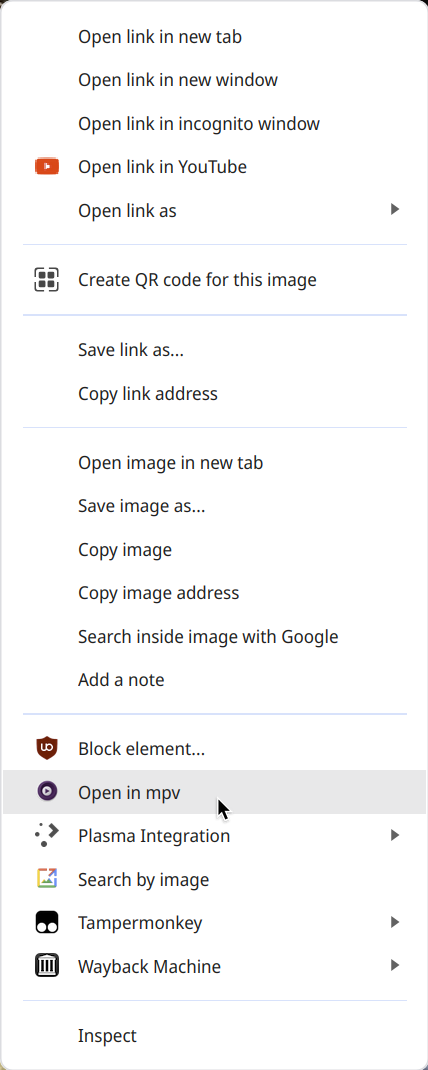
This browser extension displays a context menu item Open in mpv for links. When clicked it will
pass the URL of the link to mpv (which must be PATH).
If you have yt-dlp installed and in PATH, then mpv will try to use it to resolve URLs it cannot
handle. This means you can right-click on any YouTube video page or link, choose Open in mpv and
view the video with mpv.
First, install the extension. Quit your browser.
There are many ways to perform the next step. Below is the most basic, assuming you have Pip installed.
Gentoo users can simply install media-video/open-in-mpv from
my overlay.
pip install --user open-in-mpv
open-in-mpv-install --user --force
The above commands will install the native host JSON file to supported Chromium-based browsers
whose paths are known for your OS. --force is used on first install to create the necessary paths
if they do not exist.
See open-in-mpv-install --help for more options. Linux users can pass the --system option to
install the native host part of the extension system-wide.
Uninstall the extension from your browser. Then follow steps below depending on how you installed the native messaging host component:
open-in-mpv-uninstall
pip uninstall open-in-mpvIf you installed open-in-mpv using the macOS pkg installer, follow these steps to completely uninstall it:
-
Run the uninstall command:
sudo /usr/local/bin/open-in-mpv-uninstall
-
Remove the package files:
pkgutil --only-files --files sh.tat.open-in-mpv | tr '\n' '\0' | xargs -n 1 -0 sudo rm -f
pkgutil --only-dirs --files sh.tat.open-in-mpv | tail -r | tr '\n' '\0' | xargs -n 1 -0 sudo rmdir
-
Forget the package:
sudo pkgutil --forget sh.tat.open-in-mpv
Uninstall open-in-mpv using Programs & Features.
Linux: mpv is launched with --gpu-api=opengl because with Vulkan it starts but fails to open a
window.
At this time, Windows is not supported by the open-in-mpv Python script. It may work, but it is
not supported.