A python-based console level chat application with local-level communication.
Get Started with TheRiver
- The TheRiver contains mainly
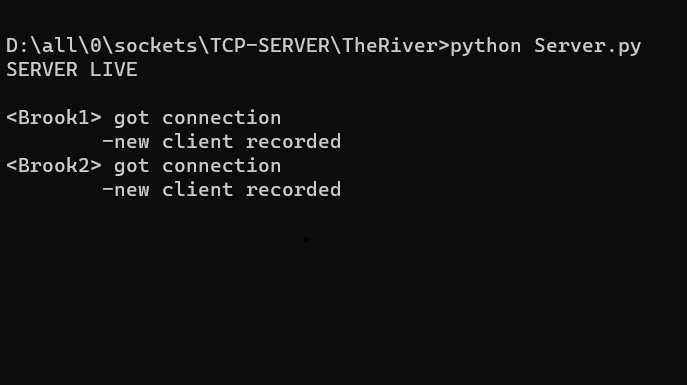
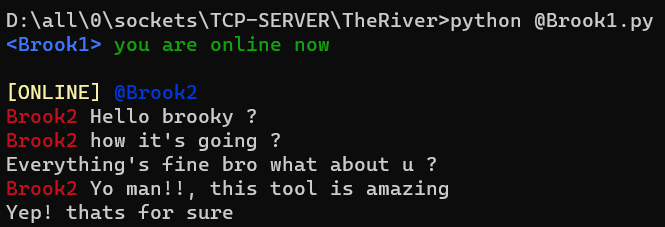
Server.py,@brook1.pyand@brook2.pyfiles, you can edit the names with you want to be connected. First you need to execute thepython.exe server.pycommand which if says "SERVER LIVE" then its a one go, after that run thepython.exe brook1.pycommand. These are the clients which will connect to each other through server and a messageappears if everything goes fine.
- Add another client, just execute the another
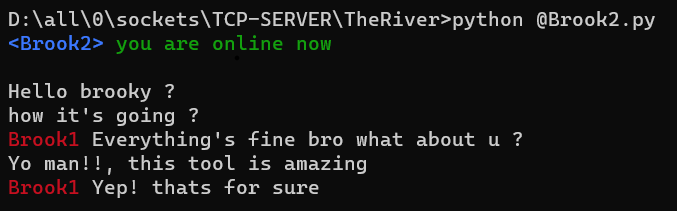
brook2.pyfile and start your chit-chatting, and if you want to add more clients, connect more friends with each just copy the brook.py and give it a name and enter the same command again.

- Every message transmitted is recorded in
chat-history.txtfile. - The format of saving the records is (hostname, message, time).
TheRiver uses Python Standard Libraries :-
socket: for making tcp connections.threading: for handling multiple connection(s) simultaneously.time: for maintaining record of each message.
TheRiver uses Third-Party Library :-
colorama: for a colored terminal text. Can be installed using commandpip install colorama.